Business
Build vs Buy: Should Your Business Use SaaS or Custom Software?
Should you build custom software or use an existing SaaS product? Learn how to compare cost, flexibility, scalability, maintenance, and business requirements before making the right decision.
Build vs Buy: Should Your Business Use SaaS or Custom Software?
Why build something when there are already dozens of tools that can do it?
It's a fair question.
Today, businesses can choose from thousands of SaaS products for CRM, accounting, HR, inventory, project management, marketing, communication, and almost everything else.
In many cases, buying an existing tool is the smartest decision.
But sometimes, an existing SaaS product creates more problems than it solves.
And sometimes, building custom software is an expensive mistake.
So how do you decide?
The answer isn't simply "build" or "buy."
It depends on your business, your requirements, your budget, and how important the software is to your operations.
Let's break it down.
What Does "Build vs Buy" Actually Mean?
The decision is relatively simple.
Buy
You use an existing SaaS product that has already been built by another company.
Examples include:
- CRM platforms
- Accounting software
- Project management tools
- Email marketing platforms
- HR software
- Inventory systems
- Customer support platforms
You typically pay a monthly or annual subscription.
Build
You create software specifically for your business.
It can be:
- A custom CRM
- Internal management software
- An ERP
- A customer portal
- A mobile application
- A business automation platform
- A custom workflow system
You control how the system works and what features it provides.
When Should You Buy SaaS?
For many businesses, SaaS should be the first option.
Why?
Because building software isn't always necessary.
1. You Need Something Standard
If your requirements are already well understood and thousands of businesses need the same functionality, there's a good chance a SaaS product already exists.
For example, if you need:
- Task management
- Email marketing
- Accounting
- Team communication
- Video meetings
- Basic CRM functionality
Building your own solution probably doesn't make sense.
Why spend months building something that already works?
2. You Need to Launch Quickly
One of the biggest advantages of SaaS is speed.
You can:
- Choose a product.
- Create an account.
- Configure it.
- Import your data.
- Start using it.
You don't need to spend months going through requirements, design, development, testing, and deployment.
If speed is critical, SaaS often wins.
3. Your Budget Is Limited
Custom software requires an initial development investment.
SaaS usually works on a subscription model.
Instead of spending a large amount upfront, you pay based on your usage or number of users.
For startups and small businesses, this can be much easier to manage.
4. You Don't Need Much Customization
If the software already supports 80–90% of what you need, buying it may be the better choice.
You don't necessarily need software that matches your business perfectly.
Sometimes "good enough" is actually the most practical solution.
When Should You Build Custom Software?
There are also situations where SaaS simply isn't enough.
1. Your Business Has a Unique Workflow
Every business has processes.
Some are standard.
Others are completely unique.
For example, imagine a company with a workflow involving:
- Custom approval processes
- Multiple employee roles
- Complex calculations
- Special pricing rules
- Custom reporting
- Unique customer journeys
If existing SaaS products force you to change your workflow, custom software may make more sense.
2. Existing Tools Don't Solve Your Problem
Sometimes businesses use several SaaS products together.
One for CRM.
One for accounting.
One for inventory.
One for communication.
One for reporting.
One for payments.
Now employees are constantly moving information between systems.
At some point, the business may spend more time connecting tools than actually using them.
A custom system can bring these processes together.
3. You Need Deep Integrations
Your business may depend on several external systems.
For example:
- Payment gateways
- Accounting software
- Government APIs
- Shipping providers
- Banking systems
- Internal databases
If your workflow requires complex integrations, custom software can provide much greater control.
4. The Software Is Part of Your Competitive Advantage
This is one of the most important reasons to build.
If your software itself is part of what makes your business different, relying entirely on someone else's platform may not be ideal.
For example, your competitive advantage might come from:
- A unique pricing engine
- A proprietary workflow
- A specialized marketplace
- A unique customer experience
- A custom recommendation system
- Industry-specific automation
In these situations, software isn't just a tool.
It's part of the business.
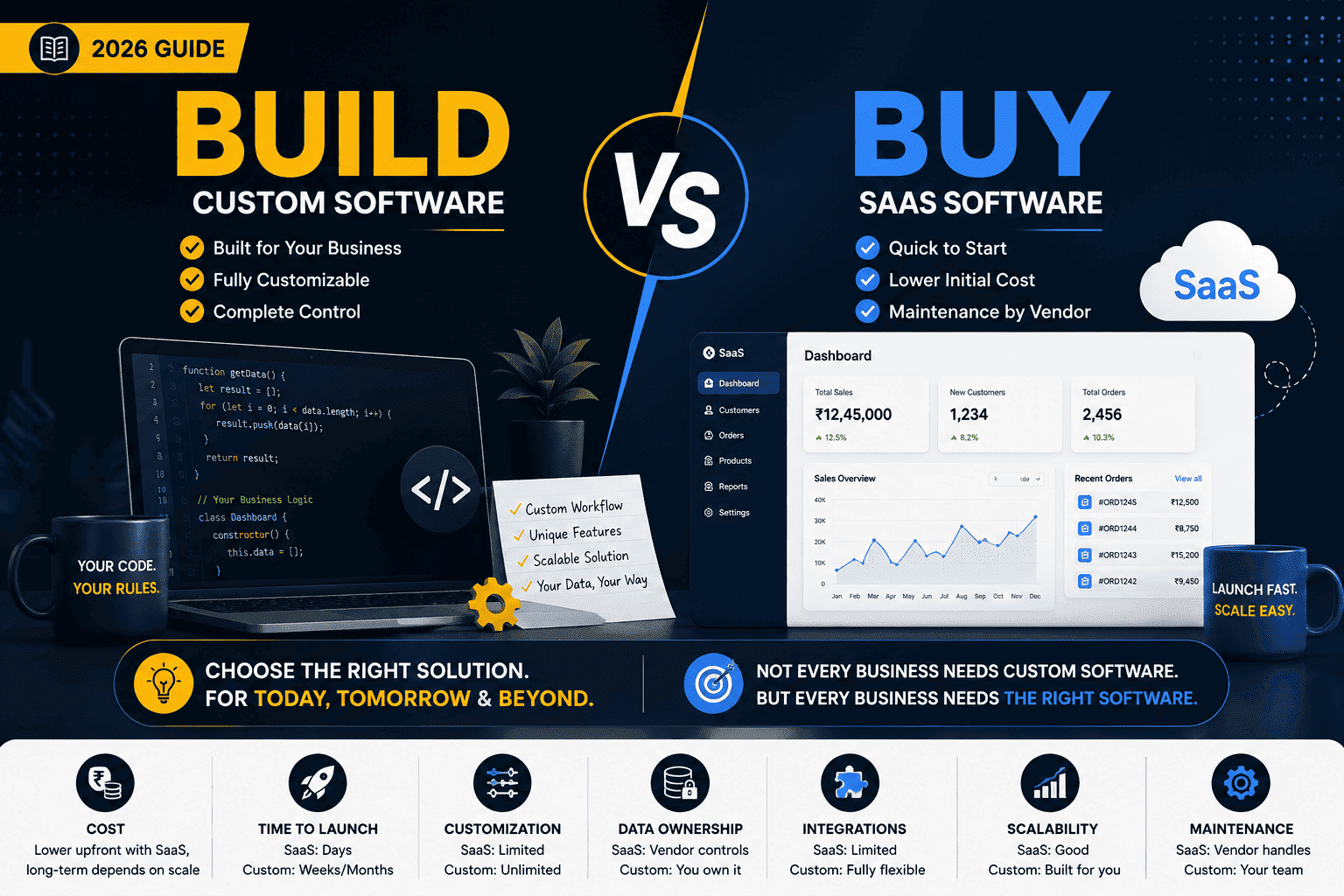
Build vs Buy: Quick Comparison
| Factor | SaaS | Custom Software |
|---|---|---|
| Initial Cost | Lower | Higher |
| Time to Launch | Very Fast | Longer |
| Customization | Limited to Available Features | Very High |
| Maintenance | Vendor Handles It | You/Developer Handle It |
| Scalability | Usually Built In | Designed for Your Needs |
| Integrations | Depends on Platform | Fully Customizable |
| Ownership | Vendor Owns Platform | You Own Your Software |
| Updates | Automatic | Controlled by You |
| Flexibility | Limited | High |
| Long-Term Control | Lower | Higher |
The Hidden Cost of SaaS
SaaS looks inexpensive when you first look at the monthly subscription.
But you need to consider the long-term cost.
For example, imagine you have:
50 employees
× ₹2,000 per employee per month
That's:
₹1,00,000 per month
Or:
₹12,00,000 per year
Over several years, the subscription cost can become significant.
This doesn't mean SaaS is bad.
It simply means you should consider the total cost of ownership instead of looking only at the monthly price.
The Hidden Cost of Custom Software
Custom software has its own costs.
You need to consider:
- Development
- UI/UX design
- Testing
- Hosting
- Security
- Maintenance
- Bug fixes
- Updates
- New features
Building software isn't a one-time expense.
Good software requires ongoing investment.
That's why building custom software only makes sense when the business actually benefits from the additional control and flexibility.
Don't Build Just Because You Can
This is something developers sometimes forget.
As developers, we naturally like building things.
A business owner says:
"We need a CRM."
And the developer thinks:
"Let's build one."
But maybe they don't need one.
Maybe an existing CRM already solves 95% of their requirements.
In that situation, building custom software could waste months of development time and a significant amount of money.
The best technical decision isn't always the most technically interesting one.
Sometimes the best solution is simply to buy an existing product.
Don't Buy Just Because It's Cheap
The opposite mistake is also common.
A business chooses SaaS because it's inexpensive.
Then they discover:
- Important features are missing.
- Employees need to change their workflow.
- Data is spread across multiple systems.
- Integrations are limited.
- Custom reports aren't possible.
- The pricing increases as the company grows.
Eventually, the business realizes that the "cheap" solution isn't actually cheap.
Ask These 7 Questions Before Deciding
Before building or buying, ask:
1. Is this process standard or unique?
If it's standard, SaaS may be better.
If it's unique, custom software may be worth considering.
2. How many users will use it?
A solution that works for five people may become expensive with 500 users.
3. How important is customization?
If you need significant customization, buying may become frustrating.
4. How quickly do we need it?
If you need something tomorrow, don't start a six-month development project.
5. Is this software part of our competitive advantage?
If yes, custom development becomes more attractive.
6. How much will it cost over three to five years?
Don't compare only the initial development cost or monthly subscription.
Look at the total cost.
7. What happens if the business grows?
Choose a solution that can support your future requirements.
A Simple Decision Framework
Here's the framework I usually recommend.
Choose SaaS if:
- Your requirements are standard.
- You need the software quickly.
- Your budget is limited.
- You don't need much customization.
- An existing product already solves your problem.
Choose Custom Software if:
- Your workflow is unique.
- Existing tools don't solve the problem.
- You need deep integrations.
- You need complete control.
- Software is part of your competitive advantage.
- Your requirements are likely to evolve significantly.
Consider a Hybrid Approach if:
You don't necessarily have to choose one or the other.
You can use SaaS for standard business functions and custom software for the areas where you need differentiation.
For example:
Accounting → SaaS
Email → SaaS
Team communication → SaaS
Core business workflow → Custom software
This can often provide the best balance between cost and flexibility.
The Best Software Isn't Always Custom
This is probably the most important takeaway.
Custom software isn't automatically better.
SaaS isn't automatically better either.
The right choice depends on the problem you're trying to solve.
If an existing product solves your problem well, use it.
If existing products force your business to compromise on critical processes, consider building.
And if only part of your business needs customization, use a hybrid approach.
Final Thoughts
Before starting a software project, don't ask:
"Can we build this?"
Almost anything can be built.
Ask:
"Should we build this?"
That's a much more important question.
Good software decisions aren't about using the newest technology or building everything from scratch.
They're about finding the simplest solution that delivers the required business value.
Sometimes that's SaaS.
Sometimes it's custom software.
And sometimes it's a combination of both.
Build when you need differentiation.
Buy when the problem is already solved.
And always consider the long-term cost before making the decision.

Ankiit Janggid
Technical consultant and developer focused on engineering guidance, APIs, AI, and scalable product delivery.
View profile